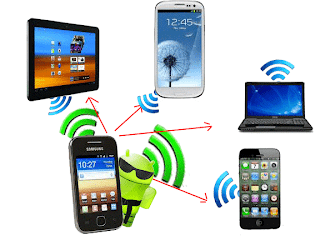
Most smart phone and smart android phones already have this feature built in to the phone. wi-Fi hotspot simple meaning wireless access point, Wi-Fi hotspot is sharing internet between wi-fi devices.
You have wi-fi hotspot device you can share internet connection to your friends smart phones, and other wi-fi enabled devices. Ex.smart phones, laptop, etc..,.
I am going to explain how to Active Wi-fi hotspot and how to share internet connection on your samsung galaxy y android phones.
You can follow these simple steps
- Go to menu > settings > Wireless and networks.
- Select Tethering and portable hotspot.
- Select portable Wi-Fi hotspot settings.
- Select Configure portable Wi-Fi hotspot settings.
- Type Your Hotspot Network SSID Name.
- Select Security type open > save
- Select (Tic) portable Wi-Fi hotspot.